Do it all in
one app

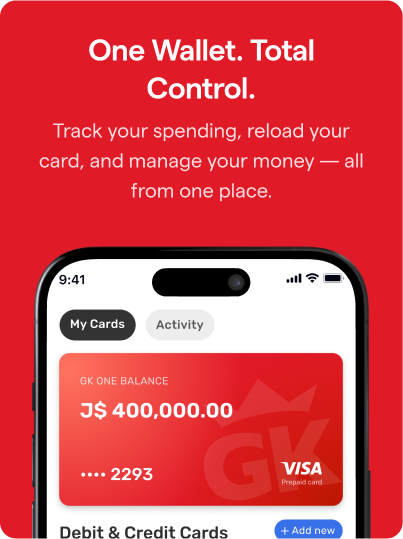
Pay bills, send money, unlock deals, and manage your wallet - the GK One app and prepaid VISA card make it easy, fast, and secure.

Download the app

From in-app review

Built with you in mind

Built for ease, speed, and peace of mind - helping you stay connected with the people who matter most, no matter the distance.

Convenience

Send and receive money at your fingertips from anywhere, anytime.

Local & International Transfers

Enjoy fast money transfers from friends and family worldwide. 

Speed

Fast, real-time transfers so you can stay connected with loved ones without the wait.

Security

Receive money with confidence, knowing that your transactions are safe with our secure payment processing.

Everything You Need,
All in One App

Explore all the powerful features GK One has to offer - from sending money and paying bills to earning rewards, shopping deals, insurance, and more. Tap into convenience, control, and savings at your fingertips.
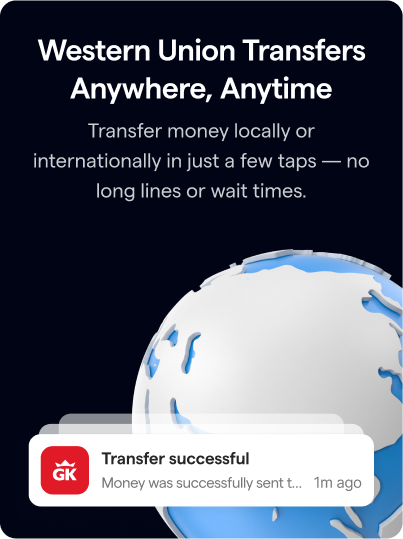
Skip the line - Send & Receive Money with Ease

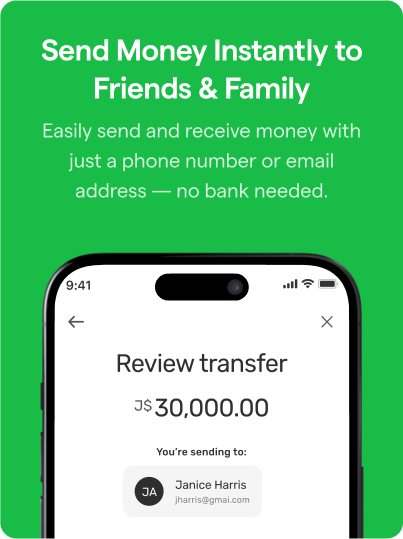
Easily send & receive money from friends and family or anyone - anytime, anywhere.
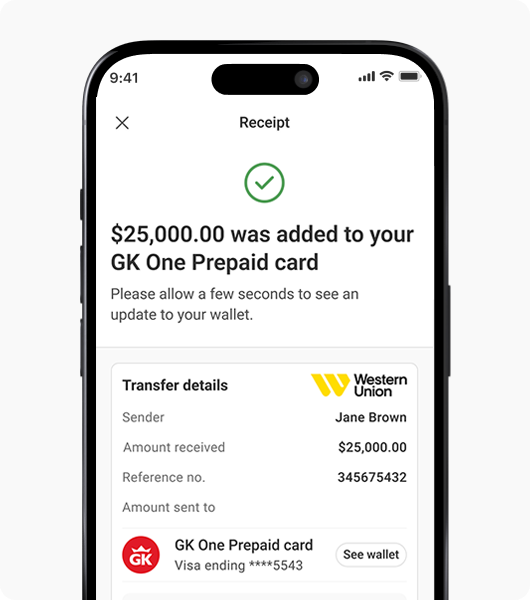
  • Fast Transfers
  • Local & International
  • Secure & Reliable
Skip the line - Send & Receive Money with Ease
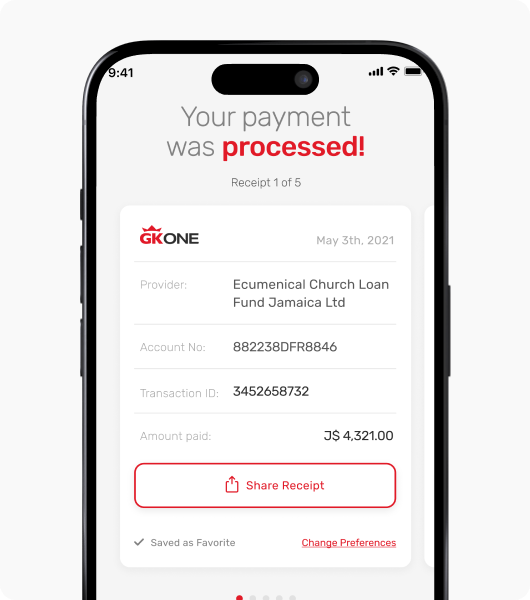
Your Bills. Your Way. No Fees!

Your Bills. Your Way. No Fees!

Pay over 90 billers with no service fees - stay on top of your bills without leaving home.

  • No service fee
  • Skip the line, save time
  • Pay using any debit/credit card

Refer Friends and Earn Rewards

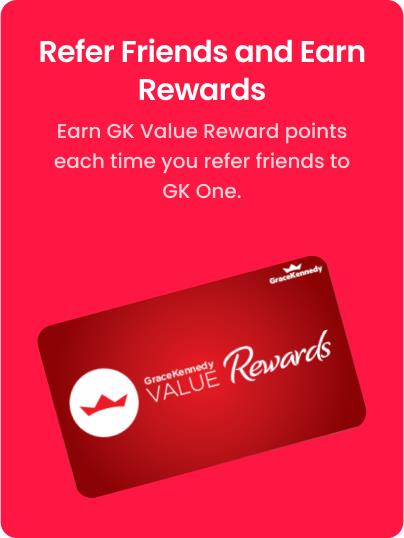
Earn GKVR Points every time you refer someone to GK One.
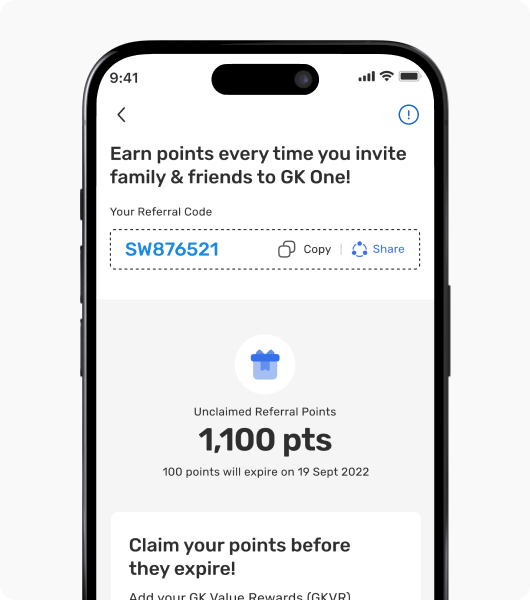
  • Earn redeemable points
  • Exclusive deals and promotions
  • Automatically applied

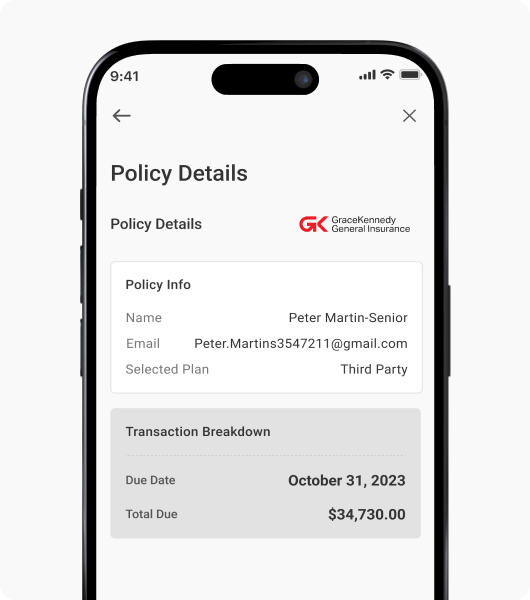
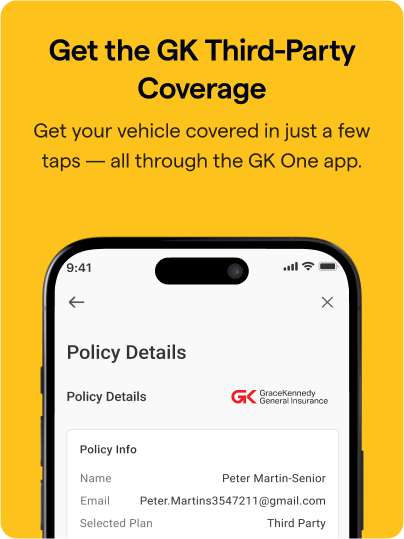
Get Third-Party Auto Insurance in Minutes

Protect your vehicle with quick, affordable third-party insurance - all through the GK One app. Just choose your plan, pay, and get covered instantly.

  • Zero paperwork
  • Skip the lines & save time
  • Easy and convenient

How to sign up

Sign up for GK One in just a few steps - no branch visit needed.
1
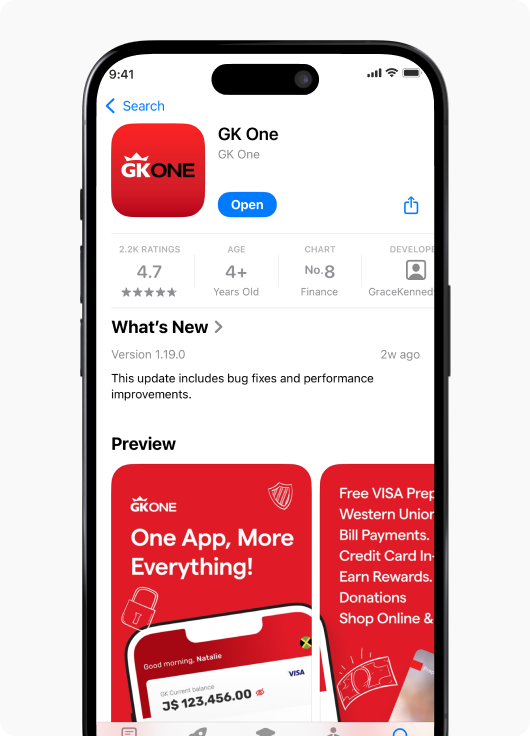
Download the GK One App from your App Store or Google Play Store
2
Register for GK One using your email address & phone number
3
Tap the GK One Card 'sign up' banner on your app home screen
4
Scan your government-issued ID (Voter’s ID, Passport or Driver’s License)

Frequently Asked Questions

Easily send money to friends, family, or anyone — anytime, anywhere.

+ What is GK One?
The GK One mobile app is a convenient, secure all-in-one digital access point to the GraceKennedy financial suite of products.
+ How do I get the GK One app?
Download the app for free from the Google Play Store or the Apple App Store
+ What can I do with the GK One app?
The GK One mobile app provides you with a digital channel to: - sign up for your Prepaid Visa card – send and receive Western Union money transfers, pay bills, apply for third party motor insurance, apply for FGB credit cards, Donate to fundraising campaigns - and earn rewards!
+ Do I need data/Wi-Fi to use the GK One digital wallet?
Currently yes, you do need data/Wi-Fi to use the app.
+ How do I sign up for the GK One prepaid card?
Sign up for your free GK One prepaid VISA Card by downloading the GK One mobile app from the Google Play Store or the App Store- all you need is a valid Jamaican government-issued ID (Driver’s Licence, Passport, Voter’s ID) and TRN
+ How is my digital wallet different from my prepaid card?
Your GK One wallet is linked to your prepaid card. However, they differ in that the prepaid card is a physical card that can be used to shop online, in stores and get cash from any ABM locally or internationally that accepts VISA while your digital wallet, allows you to spend, save and manage your money from the app.
+ How do I get the GK One digital wallet?
Sign up for your free GK One digital wallet and prepaid VISA Card by downloading the GK One mobile app from the Google Play Store or the App Store- all you need is a valid Jamaican government-issued ID and TRN
+ Is there a cost to use the GK One prepaid card?
There is no fee to sign up or store your funds on your GK One Card! Fees are only charged when using ATMs and if your transaction declines due to insufficient funds.
+ How do I add cash to my GK One account?
Add cash to your GK One account by receiving a WU Money Transfer in app, in store at the WU window or over the counter at select BillExpress locations island wide.
+ How do I check my GK One prepaid card balance?
You can check your prepaid card balance by viewing your transaction history in the GK One mobile app, enquiring at the ATM or by calling Customer Support Center at (876) 733-7722
+ I’ve forgotten my passcode, how do I reset?
There is a feature in the GK One app that will guide you through resetting your password. You can initiate this action by clicking the ‘forget passcode’ option.
+ I have forgotten the PIN for my prepaid card, what should I do?
Contact the Customer Support Center at (876)-733-7722 or visit a GK One location near you.
+ What should I do if the GK One mobile app is unresponsive?
Close the app and clear it from your ‘open tabs menu’, then relaunch the app. If the app is still unresponsive, Customer Support Center at (876)-733-7722 and seek their assistance in you carrying out the transaction you wanted to initiate through the app.
+ What should I do if my card is faulty or expired?
Contact the Customer Support Center at (876)-733-7722
+ Why do you need to verify my identity?
As an added layer of protection for your account, we’ll use this information to build your customer profile with us. This way if we spot an unusual transaction, we can alert you quickly and help you to protect your money.
+ Do I need to sign up for Western Union Direct to Bank to receive remittances via GK One?
No, you don’t need to sign up for Direct to Bank to use the GK One app
+ I already have Direct to Bank; can I still use the GK One mobile app to receive money?
Yes, you can! Simply sign up with the GK ONE app, using your ID and TRN and you can receive your next money transfer in the app, directly to your GK ONE Prepaid Visa Card.
+ Is there a limit to the cash value I can receive to my GK One digital card?
Yes, for your security there is a card limit of J$350,000, daily transaction limit of J$150,000, daily ATM withdrawal limit of J$150,000 and monthly account/card limit of J$350,000.
+ Can I send money transfers using my GK One digital card?
Look out for upgrades. This feature is coming soon!
+ How will I know that my friend/family member has received my money transfer?
The transaction status will be updated in the app
+ What happens if I don’t know my MTCN?
Your MTCN is required for all Western Union transfers, please ensure you request this number from the sender as transfer cannot be completed without this information.
+ What currency will I receive to my wallet?
Your local currency –JMD
+ Why do you need to know my source of funds?
The source of funds is a regulatory requirement to verify that the funds being used are from a legitimate source.
+ What happens if my ID expires?
You must have a valid ID to conduct business. Transactions cannot be processed with an expired ID. Update your ID at a Western Union location near you.
+ Is there a fee to pay my bills using the GK One mobile app?
No, its FREE to pay your bills via GK One mobile app. However, your bank may have its own fees for transactions.
+ Which bills can I pay using the GK One digital wallet?
You can make payment to all billers listed with BillExpress.
+ What do I need to pay my bills using the GK One digital wallet?
All you need is your biller account number.
+ What payment methods can I use to pay my bills using the GK One digital wallet?
You can use your GK One digital wallet or your desired debit or credit card to pay bills in the app.
+ Am I only able to pay my own bills using the GK One digital wallet?
No, you can pay any bill you have the Biller Account Number for.
+ Is there a limit to the amount I can pay on any bill?
Yes, some billers have restrictions on how much you can pay per bill.
+ How soon after making payments using the GK One digital wallet are my accounts updated with the biller?
Update times range from 30 minutes to 24 hours depending on the biller's operational hours.
+ What happens if a biller says "Cash only"?
You will have to use your GK One digital wallet to make payment
+ How can I confirm that payment has been made?
You are able to download, save and share your receipt.
+ How can I confirm that the Biller has received my payment?
Check with Biller, your GK One digital wallet receipt serves a proof of payment for your interactions using your wallet with biller.
+ Can I cancel a payment made in the GK One digital wallet?
Payments can only be cancelled by contacting BillExpress at 888-555-5555.
+ Can I schedule automatic payments for my bills?
Yes, you can. Never miss another due date with GK ONE!
+ How do I cancel the Auto Pay feature?
You may deselect the auto pay feature by editing any of your favorite billers.
+ Can I use any bank card for bill payments?
Yes, you can use any debit or credit card to make payments in the GK One app.
+ How secure is the bill payment feature?
The bill payment feature uses advanced encryption and security protocols to ensure your transactions are safe and secure.
+ How do I add a bank card to my GK One wallet?
To add a bank card to your GK One wallet, from the Home Screen, tap “Wallet” at the bottom of the screen, from the Wallet screen, tap “+Add New” and enter your card details. Once added, we’ll make a small charge to your card that will be subsequently refunded. You will be asked to verify the amount charged to your card by checking your usual bank alerts or contacting your bank directly. Once you confirm the amount charged, your card is now verified and can be used throughout the GK One app.
+ What happens if my payment fails?
If your payment fails, you will receive a notification with details on why the payment failed and steps to resolve the issue.
+ How can I view my payment history?
You can view your payment history by navigating to the "My Wallet" section in the mobile wallet app, tap “Activity” and you will be able to view all transactions. For older transactions, you can contact BillExpress at 888-555-5555.
+ Who do I contact for support if I encounter issues?
If you encounter any issues, please contact our customer support team through the "Help & Support" section under “More” or call 876-773-7722.
+ Who can apply for a credit card?
Any employed individual 18 years of age or older can apply for a credit card through the GK One mobile app.
+ Which credit cards are being offered through the GK One mobile app?
First Global Bank Visa Classic card • First Global Bank Visa Gold
+ Why can’t I apply for any other credit card product through the GK One mobile app?
FGB is not currently offering any other products such as the Affinity and Platinum Cards through the GK One App. When we do, we will be sure to make a big deal about it!
+ What is the minimum income I must have to apply for a FGB Classic or Gold credit card?
• Classic credit card: J$50,000.00 per month • Gold credit card: J$350,000.00 per month
+ What are the benefits of the FGB Visa Classic credit card?
Access to the FGB Rewards Program • virtual card for online shopping • Travel Accident Insurance (free coverage up to $75,000 USD) • Split/Share Limit Card
+ What are the benefits of the FGB Visa Gold credit card?
Access to the FGB Rewards Program • virtual card for online shopping • Travel Accident Insurance (free coverage up to $250,000 USD) • Split/Share Limit Card
+ Can I own both the FGB Classic and Gold credit cards?
Yes, you can!
+ Can I own two of the same type of credit cards (i.e, two classic or two gold credit cards?
No, you cannot. Any attempt to do so will result in a declined application.
+ What are the minimum requirements to get a credit card through the GK One mobile app?
To apply for a credit card through the GK One mobile app, you must provide the following: • Proof of ID in the form of either a Driver’s License or a Voter’s ID • Proof of Address (Utility Bill, Letter from a JP) • Proof of Income (Pay slips, Job letter, Bank Statements)
+ What are the interest rates for the cards offered through the GK One mobile app?
The Visa Classic Card has an interest rate of: 48.85% The Visa Gold Card has an interest rate of: 48.50%
+ Can I use pictures of my documents as proof of address?
Yes, you will be able to upload pictures of your documentation to satisfy the requirements for proof of address and proof of income. The app will also accept files in the formats: .pdf, .doc, .docx, .xls, .xlsx, .jpg, .png and .jpeg
+ What is considered as valid proof of identification for my FGB Credit Card application?
If you’re using the GK One App to apply for a credit card, you can use either of the following: • Driver’s License • National (Voter’s) ID
+ Why can’t I use my passport as valid proof of identification?
Unfortunately, the GK One Application does not currently support the use of passports as valid proof of identification.
+ How long will my application take to process?
Your application can take up to two business days to process
+ How will I know whether my credit card application has been approved or denied?
You will be able to track your application via the GK One mobile app. Additionally; you will get notifications regarding any changes in your application status.
+ If my application is approved, how will I get my credit card?
Your credit card will be delivered to the address you would have entered earlier in the application process.
+ How long after applying does it take for me to get the card?
Your application will take up to two business days for approval thereafter 5-10 business days for the card to be delivered to the branch so that’s 7-12 business days in total, once your application has been approved.
+ Can I activate my credit card in the GK One Mobile app if I did not apply through the app?
Yes! Sign up for the app, select the credit card option and select the “Activate Card” option from the credit card menu. Follow the instructions on screen to activate your card.
+ Will my information be saved if I log out without finishing an application?
No, once you log out or if the session times out, your ID information will remain in a validated state however, the information you’ve entered will not be saved, you will have to redo the application form.
+ Can I apply again if my application gets denied?
Yes, you will be able to apply for any of the credit card products offered through the GK One app if there are no active/open applications for you at the bank.
+ What if I notice an unauthorized transaction on my card?
If you have access to our online banking platform, you should immediately block the card and then contact our Customer Care Centre at 888-CALL-FGB (1-888-225- 5342) for further assistance
+ My card was lost/stolen, what do I do?
You should immediately restrict the card using our online banking platform and then contact our Customer Care Centre at 888-CALL-FGB (1-888-225-5342) for a replacement
+ What is GK ONE Send?
GK ONE Send is a digital remittance service that allows customers in Jamaica to send money internationally through the GK One app.
+ What are the key features of this service?
• Digital remittance service through the GK One app • Supports multiple payout methods for recipients • Delivery time within minutes • Competitive fees and transaction limits
+ What can I use the GK ONE app to do besides sending remittances?
In addition to remittances, the GK One app offers other financial services, including bill payments, credit card application and wallet management.
+ What is the minimum transaction amount I can send?
The minimum transaction amount is J$1,000.
+ What is the maximum transaction amount I can send?
The maximum transaction amount is J$150,000 per transaction initially, subject to review based on product performance and risk management.
+ Is there a daily, weekly, or monthly aggregate transaction limit?
J$150,000 per day max
+ What currency is used for sending funds?
Transactions are conducted in Jamaican Dollars (JMD).
+ Can I send funds locally using this service?
Yes, the service is for outbound international and local remittances.
+ How can I fund my remittance transactions?
You can fund your transactions using the following options: • Visa credit cards • Mastercard credit cards • Visa debit cards • Mastercard debit cards
+ Can I combine multiple funding sources for a single transaction?
No, only one funding option can be selected per transaction.
+ How can recipients receive the funds internationally?
Recipients can receive the funds through the following payout methods: • Retail locations • Direct deposits to bank accounts • Wallet services
+ Are there any local payout methods available?
Yes, at any WU Retail location.
+ How long does it take for the recipient to get the money?
Funds are delivered within minutes of the transaction being processed
+ Are there any factors that might cause delays in processing?
While the typical delivery time is minutes, delays may occur due to compliance checks, recipient bank processing times, or technical issues.
+ What fees apply when using credit or debit cards?
• Visa Credit/Debit Cards: 3% of the transaction principal • Mastercard Credit/Debit Cards: 3% of the transaction principal Some banks may charge a Cash Advance Fee when using a Credit Card
+ Are there any additional charges I should be aware of?
Yes, the Western Union send fee and the bank charges are all the fees that a customer incurs
+ Is this service secure?
Yes, the service employs advanced fraud monitoring measures and secure payment processing systems to protect your transactions which includes tokenization.
+ How are transactions monitored for fraud?
We use an international service to monitor our transactions.
+ Are there any compliance requirements for using this service?
Yes, transactions are subject to local and international compliance regulations.
+ What is the approved transaction limit to start?
The initial approved transaction limit is J$150,000 for all customers.
+ Is there any tax applied to remittance transactions?
Yes, a 15% GCT (General Consumption Tax) is applied
+ What should I do if my transaction fails?
Please contact GK One Customer Support for assistance if your transaction fails. 8767337722 or email mygkone@gkco.com or live chat in the app.
+ Are there any system requirements to use the GK One app?
The GK One app is available for Android and iOS devices. Ensure your app is up-todate for the best experience
+ How do I earn rewards?
All you need to do is Refer & Earn rewards for each friend or family member you get to sign up for a FREE GK One Prepaid Visa Card. a. Sign up for your GK One Prepaid Visa Card in the GK One mobile app b. Tap Rewards to link your existing or create a new GK Value Rewards (GKVR) account in seconds c. Share your unique Referral Code with friends and family for them to sign up for a free GK ONE Prepaid Visa Card d. Stack your REWARDS!
+ What rewards can I redeem my points for?
Redeem rewards points with almost 200 partners with gift cards from Amazon, local restaurants, gas retailers, hotel getaways and so much more. View Rewards Catalogue here (https://www.gkvaluerewards.com/rewards?sort=none&category=all)
+ What is GK Value Rewards?
The GraceKennedy Value Rewards (GKVR) is a loyalty programme designed to give back to you, our valued customers. It is our way of saying thank you for choosing to do business within the GraceKennedy Group. We treat you to exclusive rewards whenever you shop at or do business with any of our participating brands: Hi-Lo, GK Insurance, First Global Bank, Bill Express and FX Trader and now, referrals to the GK ONE Mobile App!
+ I don’t have a GK Value Rewards account can I sign up in the GK One app?
Yes, it’s easy to sign up and takes 2 minutes
+ I already have a GK Value Rewards account. Can I link to GK One to earn?
Yes, it’s easy to link your account- all you need is your GKVR Member Number & Password
+ Is there a limit on how much I can earn from referrals?
You can earn UNLIMITED Rewards from referring friends and family to the GK One Mobile App! Get started right away – download in your local app store and sign up today
+ Can I start earning right away?
Yes! Sign up for your GK One Prepaid Visa Card in the GK One Mobile App, link or create a GK Value Rewards account and share your referral code.
+ How do I redeem my rewards?
To redeem rewards, visit the GKVR website at www.gkvaluerewards.com
+ How soon after I sign up for my GK ONE Prepaid Visa Card can I benefit from a signup/bonus code?
Redeem your signup bonus code within 3 days of signing up for your GK One Prepaid Visa Card
+ Who can buy Third Party Motor Insurance in the app?
Acceptance Criteria: • Main driver of the policy MUST be the insured • No company vehicles are allowed • Cover is for Social, Domestic, and Pleasure Purposes & Business Use • Age requirement 21-75 years old with driving experience of minimum one (1) year • Vehicles over 30 years old are not allowed • Maximum number of 2 vehicles permitted and named drivers are required for second vehicle (Declaration of use to be incorporated) If the user does not meet the acceptance criteria above, they will be referred to the business. They will also be redirected to the business if they: • Have a loan on the vehicle • Are a Politically Exposed Person • Reside outside of Jamaica for more than 6 months within a year • Had a claim within the last 3 years • Has a high-performance or declined vehicle • Has a drivers licence less than 1 year old • Has one of the filtered occupations
+ What Third-Party Motor Insurance coverages are available in the GK ONE App?
Third Party Vital, Third Party Plus and Third-Party Pro
+ Who do I contact if a client needs assistance?
Hatchback Crossover Contact the GKG Online Team, they have direct access to the GK ONE Motor Insurance team and can assist the client.
+ How can a client contact the GKG Online team directly?
Clients can contact the GKG Online team at 876-906-1234 or send them an email at gkinsureonline@gkco.com
+ How can users purchase motor insurance through the app?
Users can purchase motor insurance using Western Union money transfer loaded to their GK One wallet.
+ Are there any plans to expand payment options in the future?
Yes, we are continuously working to enhance the client experience. Additional payment options such as pay by debit or with credit card and loading your GK One wallet via FGB bank transfers have been developed and will be introduced in an upcoming release.
+ Are part-payment options available now?
Currently, only full-time payments are accepted. Two-part payment is currently under development and will be launched soon.
+ How will validation be done in GK ONE for new imported vehicles?
Validation for new imported vehicles will not be possible initially. Only vehicles already registered with TAJ to the customer will be accessible in the application. This includes scenarios like customers transferring a vehicle to their name, they will not be able to make purchases through the app until their vehicle is registered with TAJ.
+ How can clients cancel a policy?
Clients will need to complete the endorsement form and submit the cancellation request via email or visit a branch for assistance.
+ Where can the client find the endorsement form?
There is a link in the FAQ document on the insurance dashboard in the app.
+ How will clients receive their insurance documents?
Insurance certificates and schedules will be accessible for download from the motor insurance dashboard within the app. Additionally, customers will receive an email containing the Motor Policy Booklet, Insurance Certificate, and Schedule.
+ How secure are the payment transactions within the app?
Payment transactions within the app are conducted securely using industrystandard encryption protocols to ensure the safety of customer information. All payments are processed through Bill Express in the app.